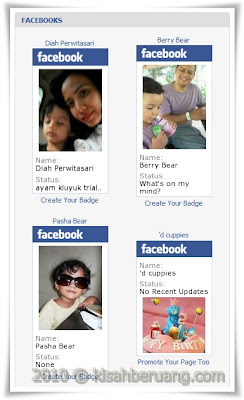
 I know that there could be many solutions out there that address this issue but I have found one that works for me. The solution is pretty simple. You just need to change a word that was automatically generated by Facebook.
<!-- Facebook Badge START --><a href="http://www.facebook.com/papaberuang" target="_TOP" style="font-family: "lucida grande",tahoma,verdana,arial,sans-serif; font-size: 11px; font-variant: normal; font-style: normal; font-weight: normal; color: #3B5998; text-decoration: none;" title="Berry Bear">Berry Bear</a><br/><a href="http://www.facebook.com/papaberuang" target="_TOP" title="Berry Bear"><img src="http://badge.facebook.com/badge/661479842.364.1910549269.png" width="120" height="239" style="border: 0px;" /></a><br/><a href="http://www.facebook.com/badges/" target="_TOP" style="font-family: "lucida grande",tahoma,verdana,arial,sans-serif; font-size: 11px; font-variant: normal; font-style: normal; font-weight: normal; color: #3B5998; text-decoration: none;" title="Make your own badge!">Create Your Badge</a><!-- Facebook Badge END -->Depending on the blog platform that you use, you would get a bunch of code like above. Now look for a code that provide the link to the badge image. Just look or search for the word "img". You should get something similar to mine below:
<img src="http://badge.facebook.com/badge/661479842.364.1910549269.png" width="120" height="239" style="border: 0px;" />You would notice that the image URL has the word "badge" written twice. Change the first "badge" to "www". Your code should now look like this:
<img src="http://www.facebook.com/badge/661479842.364.1910549269.png" width="120" height="239" style="border: 0px;" />That's it. Your badge should be there now. Happy promoting!
p/s:
I have not tested this thoroughly. Not sure whether the badge would be automatically updated once you changed your profile picture. Try it at your own risk. So far, I am happy with my result.


No comments:
Post a Comment